Play Floppy Bird on Windows for a More Fun and Exciting Experience
Arcade-style games like Flappy Bird have always had a special place among gamers. The simple yet challenging gameplay keeps players coming back to beat their highest scores. Now, that experience becomes even more enjoyable with Floppy Bird on Windows.
You can play the game directly in your browser here:
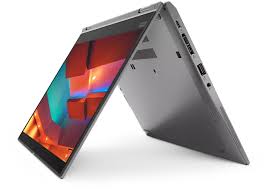
With a larger screen, responsive keyboard controls, and smoother performance on PC or laptop, playing Floppy Bird on Windows feels far more exciting than on a small smartphone screen.
Why Is It More Fun on Windows?
1. More Responsive Keyboard Controls
Playing on Windows allows players to use a keyboard for faster and more precise control. Every key press feels instant, making the gameplay more competitive and satisfying.
Many PC versions of Flappy Bird-style games are designed specifically for comfortable keyboard gameplay.
2. Bigger Screen, Better Focus
Playing on a monitor or laptop display makes it easier to see incoming obstacles. This helps improve reflexes and concentration, especially as the game speed increases.
The retro pixel-art visuals also look more attractive on a larger screen.
Perfect for Relaxing and Killing Time
Floppy Bird is a lightweight casual game that is perfect for:
- Taking a short work break
- Relaxing at night
- Waiting for downloads
- Quick entertainment during free time
Because the gameplay is simple, players can jump straight into the game without complicated tutorials.
Addictive and Challenging Gameplay
The concept of Floppy Bird is simple: avoid the pipes and survive as long as possible. However, this simplicity is exactly what makes the game highly addictive.
Every failure encourages players to try again in order to:
- Beat their previous high score
- Improve timing and reflexes
- Challenge friends
- Reach new records
This fast-paced arcade gameplay keeps players engaged for hours.
Lightweight and Easy to Play
One of the biggest advantages of the web version is that it does not require high-end computer specifications. Simply open the browser on Windows and start playing instantly.
No complicated installation, no expensive gaming hardware, and no large storage requirements.
Floppy Bird can easily run on:
- Office laptops
- Home PCs
- School computers
- Internet cafés
- Mini PCs
Fun Retro Arcade Atmosphere
Floppy Bird brings back the charm of classic retro arcade games with simple but memorable gameplay. Its pixel-art style and endless runner mechanics create a nostalgic gaming experience focused purely on fun.
That “just one more try” feeling after losing is what makes the game so enjoyable.
Suitable for All Ages
Thanks to its easy controls and straightforward gameplay, Floppy Bird can be enjoyed by:
- Kids
- Teenagers
- College students
- Office workers
- Casual gamers
There are no complicated systems or confusing mechanics — just tap the key and fly through the obstacles.
Conclusion
Floppy Bird on Windows delivers a more comfortable, focused, and entertaining gaming experience. With larger visuals, responsive keyboard controls, and addictive arcade gameplay, it becomes a perfect casual game for filling your free time.
If you enjoy retro and casual games, Floppy Bird is definitely worth trying directly from your Windows browser.
Try playing now: